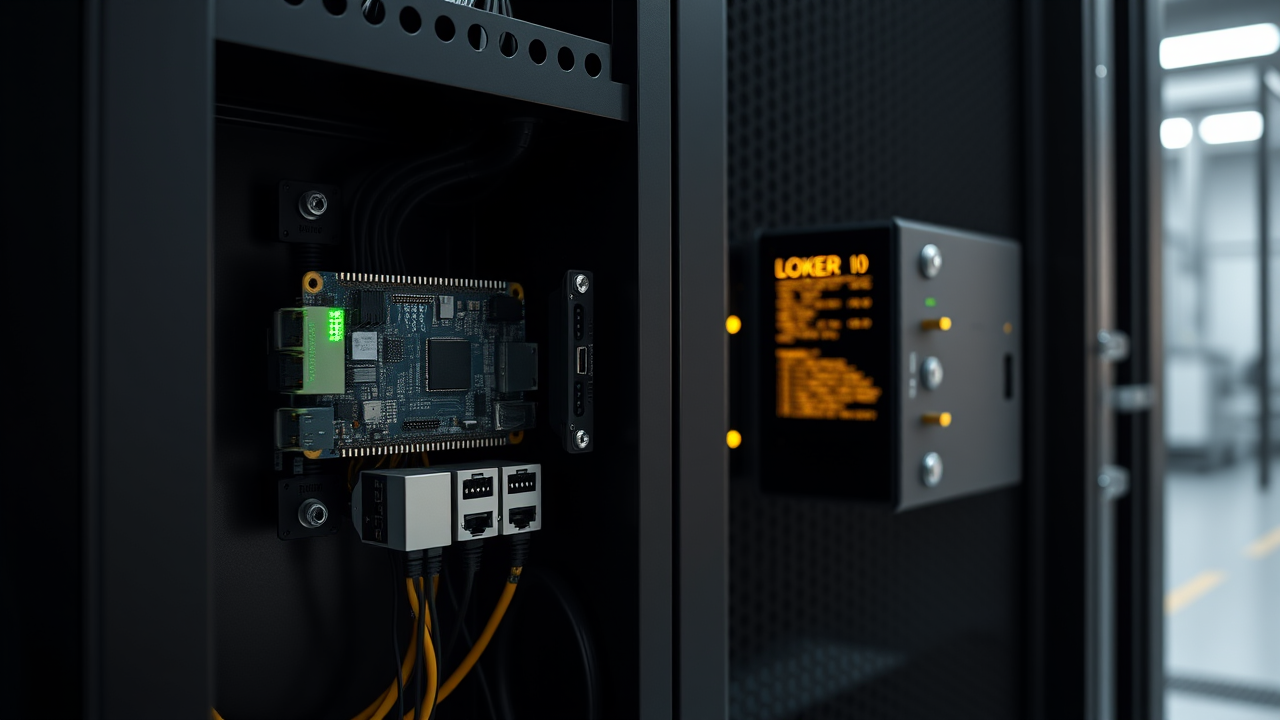
OpenPiBot packages a coding-capable AI agent into a monitored, hardened runtime. Give it tools, APIs, MCP servers, files, or device access — then let non-technical users work with it through a simple chat interface.
Hardened edge deployment
Run real agent work where the devices live.
Deploy the agent in Docker, on a Raspberry Pi, or on plant-floor hardware. IT keeps the runtime controlled while employees use simple chat to get useful work done.
Containerized coding agent runtime
OpenAI-compatible endpoint
Local or API model backends
🐳
Hardened Runtime
Run the agent in a hardened Docker container, on bare metal, or on a small SBC like a Raspberry Pi. Keep powerful automation boxed in, visible, and manageable.
🔌
Chat-Controlled Endpoint
Use Open WebUI, LibreChat, business dashboards, or any interface that talks to an OpenAI-compatible endpoint. Your agent appears like a model, but can actually do work.
🛠️
Tools, APIs & MCP
Add tools, API access, and MCP servers to each agent. Give it instructions and skills so it can specialize in documents, devices, workflows, or real-world operations.
🔒
Safe for Real Work
Let agents write code, run Python, call tools, and process files inside a safer controlled environment instead of on an employee's laptop or an unmanaged server.
🧠
Use Any AI Model
Run local models through Ollama, llama.cpp, or vLLM, or connect to top API models from OpenAI, DeepSeek, Groq, Gemini, Kimi K2, Grok, and other compatible providers.
📡
One Agent or One Hundred
Start with a single Pi-based agent, then scale to fleets of specialized agents your IT team can monitor, message, and manage from one dashboard.
How It Works
Chat in. Safe agent work out.
OpenPiBot sits between your chat interface, your chosen AI model, and the tools you approve. Users ask in plain language; the agent works inside its container, calls approved tools, and returns useful files, answers, or actions.
# Pull and run — that's it docker run -d --name fab-bot \ -v /var/run/docker.sock:/var/run/docker.sock \ -e OPENPIBOT_KEY=your-key \ -e LLM_BACKEND=http://192.168.1.10:8080/v1 \ -p 11437:11437 \ openpibot/agent:latest
# Or run bare-metal openpibot --tools ./my-tools.js --port 11437
1️⃣
Deploy a safe endpoint
Launch a hardened Docker container or small-board agent with an OpenAI-compatible endpoint your chat tools can reach.
2️⃣
Add the abilities it needs
Attach document tools, Python, APIs, MCP servers, device controls, sensors, scripts, and specialized instructions for the job.
3️⃣
Let people use it safely
Point Open WebUI or your business dashboard at the endpoint. Employees chat normally while IT controls tools, visibility, and scope.
Use Cases
From documents to devices.
OpenPiBot is not just a chatbot. It is a safe way to create specialized agents on the fly — agents that can generate files, automate workflows, control devices, and monitor the real world.
📊
PowerPoints & Reports
Turn chat data into downloadable presentations, Excel files, Word documents, and PDFs
🐍
Safe Python Expert
Reformat documents, analyze data, generate charts, and run scripts inside a controlled container
🏭
Smart Devices
Build intelligent devices that can reason, respond, monitor, and take approved actions
🌡️
Monitoring Agents
Read sensors, watch systems, summarize trends, and notify people when something needs attention
🦾
Device Control
Control lab gear, Raspberry Pi GPIO, shop equipment, audio systems, or custom hardware tools
🖥️
Business Workflows
Give employees simple chat access to custom agents without exposing the technical backend
🔬
API Automation
Connect approved APIs, databases, MCP servers, and internal services to specialized agents
🏗️
IT-Managed Agents
Create task-specific agents your IT professionals can configure, monitor, update, and retire
Dashboard
Command one agent — or a hundred.
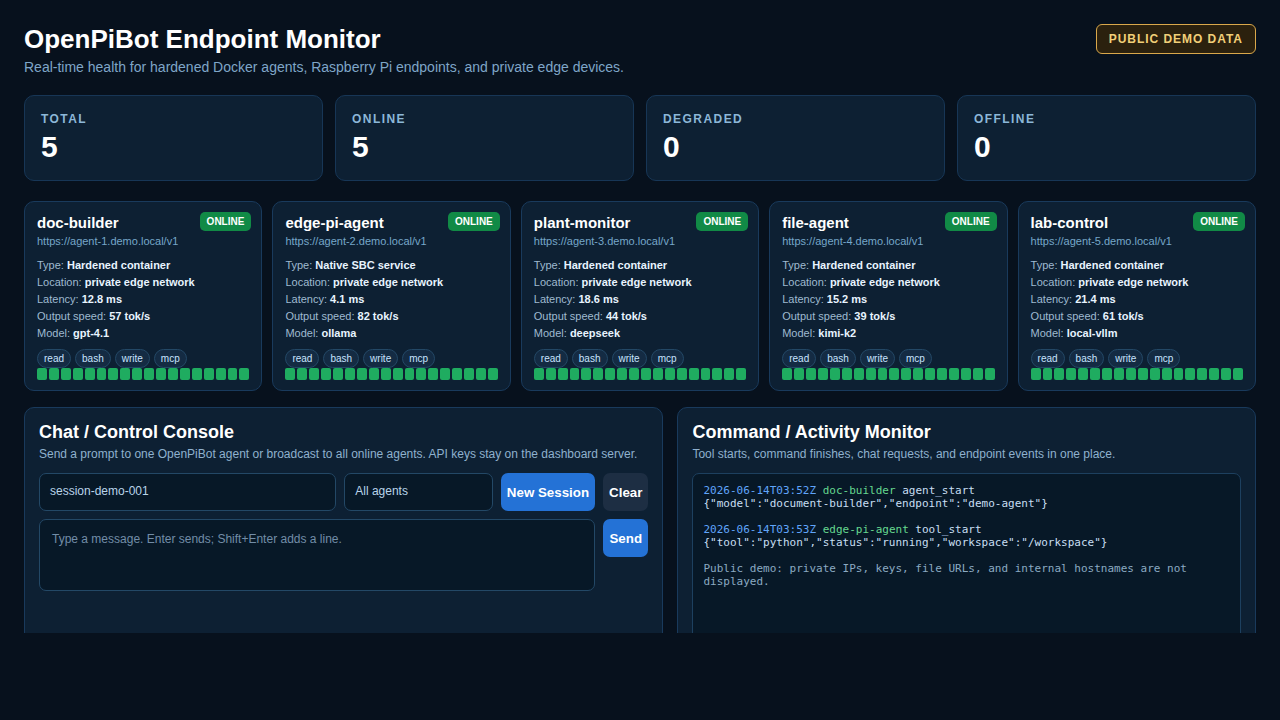
The OpenPiBot dashboard gives IT a safe control room for custom agents. Message one agent individually, broadcast a task to many agents at once, review activity, monitor endpoints, and keep non-technical users working through simple chat.
Public demo image: private IPs, API keys, file keys, internal hostnames, and real session IDs are not displayed.
Both the agent runtime and the management dashboard are open source on GitHub. Clone, fork, or download — everything you need to deploy safe AI agents.
🤖
OpenPiBot Agent
Hardened Docker container or bare-metal agent runtime. OpenAI-compatible endpoint, Python tools, MCP servers, and device access.